Introduction
The Hyros GoHighLevel tracking setup is not plug-and-play. You install the Hyros script in your GHL funnel, configure a webhook to pass lead data back to Hyros, set up your ad tracking parameters in the URL, tag contacts inside GHL pipelines, and then hope it all talks to each other. When it works, it works well. When it breaks, you spend three days staring at mismatched lead counts, wondering why your Facebook ads show 40 leads but your CRM shows 31 and Hyros shows 27.
This post walks through the full setup process so you know exactly what you’re getting into. I’ll also show you where I’ve seen it fail repeatedly across client accounts, and why I’ve shifted toward using Roaspy Ads Tracking as a faster, more GHL-native option for agencies. If you want the technical Hyros path, I’ve got you. If you want the shortcut, I’ve got that too.
What Hyros actually does (and why agencies try it with GHL)
Hyros is a paid ad attribution platform. It tracks the full customer journey from the first ad click through to the sale, using a combination of JavaScript tracking, email fingerprinting, and server-side data. It’s strong at connecting top-of-funnel ad activity to bottom-of-funnel revenue, which is exactly what agencies running lead generation campaigns need.
The appeal for GHL users is obvious. GoHighLevel is where most agency leads land, where they get nurtured, where pipelines live, and where deals close. If you can’t tie those closed deals back to the original Facebook or Google ad that started the conversation, you’re flying blind on ad spend. The Hyros GoHighLevel tracking setup promises to close that gap.
Hyros pricing starts around $299/month and scales up depending on your monthly revenue. That’s not cheap. I’ve spoken to agency owners paying $600-$800/month for it. For what it offers, the price makes sense if the setup actually holds. The problem, and I’ll be blunt here, is that the setup is brittle when paired with GHL’s funnel architecture.
A lot of agencies come to me after trying to connect Hyros to GHL and running into dead ends. It’s not because they’re bad at tech. It’s because the integration involves multiple moving parts that weren’t built to talk to each other natively.
The Hyros GoHighLevel tracking setup: step by step
Let me walk through what the actual setup looks like. I’m going to be direct and specific, because vague walkthroughs are useless.
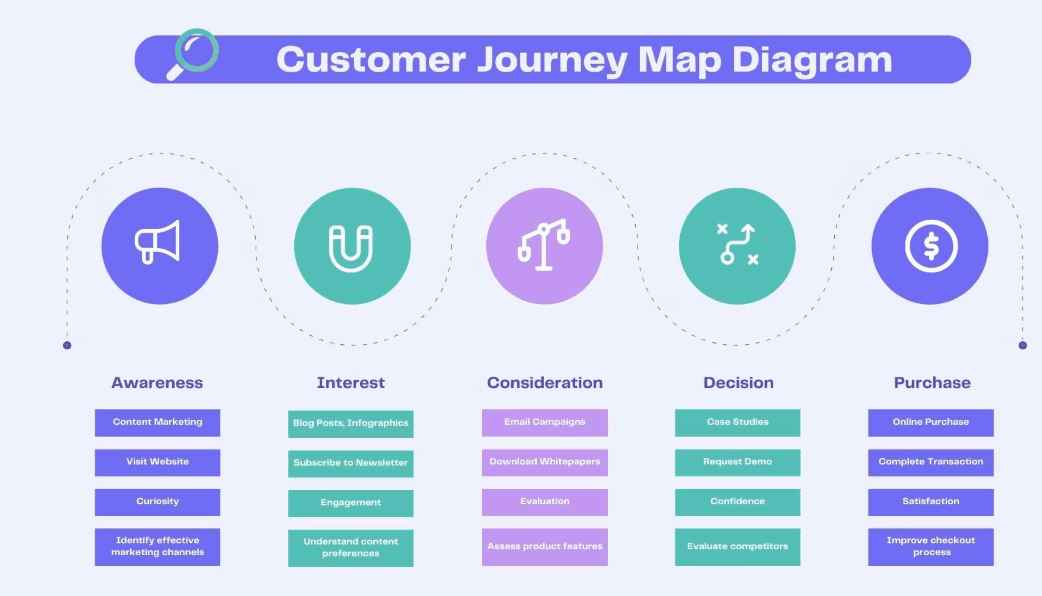
Step 1: Install the Hyros tracking script
You grab your unique Hyros JavaScript snippet from your dashboard and paste it into your GHL funnel pages. In GoHighLevel, you do this inside the funnel settings under “Tracking Code.” The script fires on page load and starts tracking visitor sessions.
Step 2: Set up URL parameters
Every ad you run needs to pass UTM parameters or Hyros-specific click parameters through the destination URL. Hyros uses parameters such as hyros_aid, hyros_subid, and standard UTM parameters (utm_source, utm_medium, utm_campaign) to track ad clicks and attribute conversions correctly.
These parameters are appended to your funnel URLs inside Facebook Ads Manager or Google Ads, allowing Hyros to identify where the click came from and tie the purchase back to the correct campaign.
Step 3: Configure the webhook
This is where most people hit a wall. To connect Hyros to GHL properly, you need to set up a webhook inside GoHighLevel that fires when a lead fills out a form. This webhook sends the contact data (name, email, phone) to Hyros, so it can match the lead to the original ad click.
Go to GHL > Automation > Create a Workflow > Add a “Form Submitted” trigger > Add a “Send Webhook” action > Paste your Hyros webhook URL.
Step 4: Map the data fields
Hyros needs specific fields to match leads. Email is the primary identifier. You need to make sure the webhook payload includes the email field correctly mapped. If it’s misformatted or missing, Hyros can’t stitch the lead to the click.
Step 5: Tag and track pipeline stages
If you want to track GoHighLevel leads from Facebook ads all the way through to closed deals, you need additional webhooks firing at each pipeline stage change. That means one webhook for “Lead,” another for “Booked,” another for “Closed Won.” Each one passes revenue or stage data to Hyros.
Honestly, by the time you’ve set up five pipeline webhooks, tested them, fixed the ones that didn’t fire, and validated the data inside Hyros, you’ve burned half a day. That’s the best-case scenario.
Where the setup breaks down (and it will)
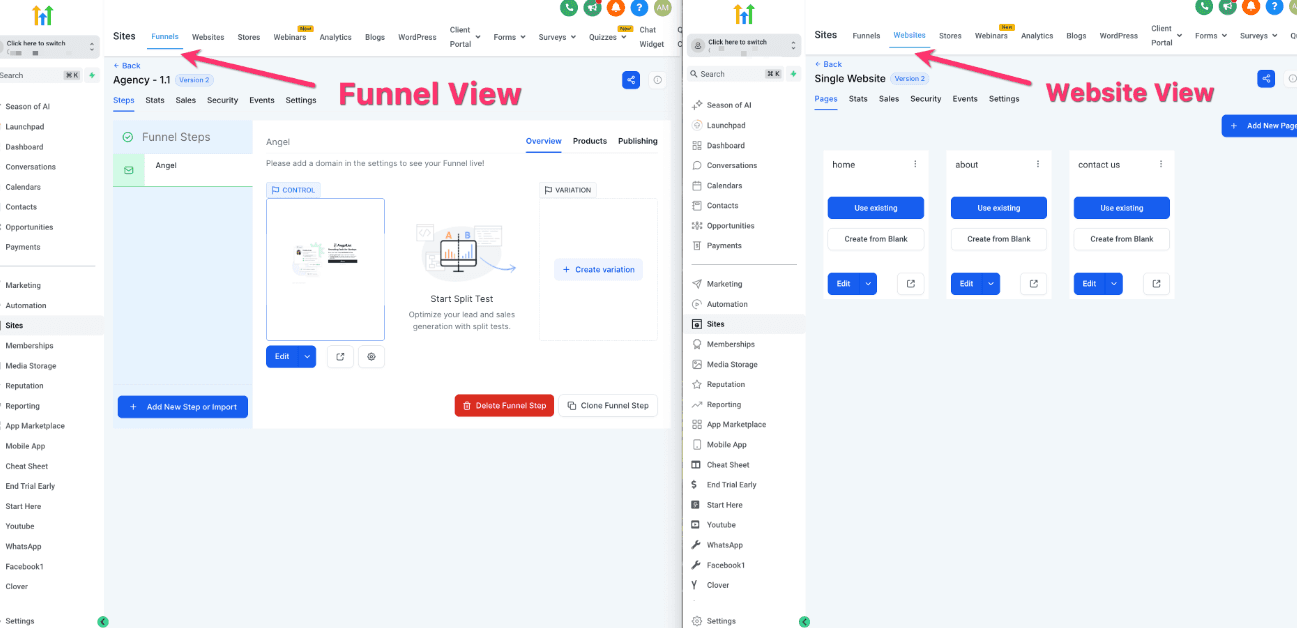
I’ve audited a lot of GHL accounts. The Hyros GoHighLevel tracking setup fails in predictable places, and I want to name them because most guides skip this part.
Script firing issues. GHL funnels load in a specific order. If the Hyros script fires before the page fully loads, session data can get dropped. If you’re using a custom domain on your funnel, there are sometimes cookie conflicts that break the tracking entirely.
Webhook misfires. GHL’s webhook action is reliable most of the time, but not always. If a lead submits a form during a GHL platform slowdown, the webhook can fail silently. There’s no built-in retry logic. The lead lands in your CRM with zero attribution.
Email mismatches. Hyros relies heavily on email to stitch the ad click to the lead. If someone fills out your form with a different email than what’s on their Facebook account, the match fails. This happens more than you’d think, especially with phone-number-only opt-in forms that are popular in certain niches.
The 7-day attribution window. If someone clicks your ad, gets nurtured for three weeks inside GHL, and then books a call, Hyros can struggle to connect those dots unless your pipeline webhooks are set up perfectly. This is exactly the kind of scenario that breaks GoHighLevel attribution 2026 reporting.
I’ll be honest: I’ve seen Hyros work beautifully when an agency has a dedicated ops person managing the integration. But most agencies don’t. They’ve got one person running ads, one person managing client delivery, and nobody whose job it is to maintain attribution infrastructure.
How to track GoHighLevel leads from Facebook ads without losing attribution
Let’s step back from the Hyros-specific setup and talk about what you actually need to track GoHighLevel leads from Facebook ads reliably. The fundamentals don’t change regardless of which tool you use.
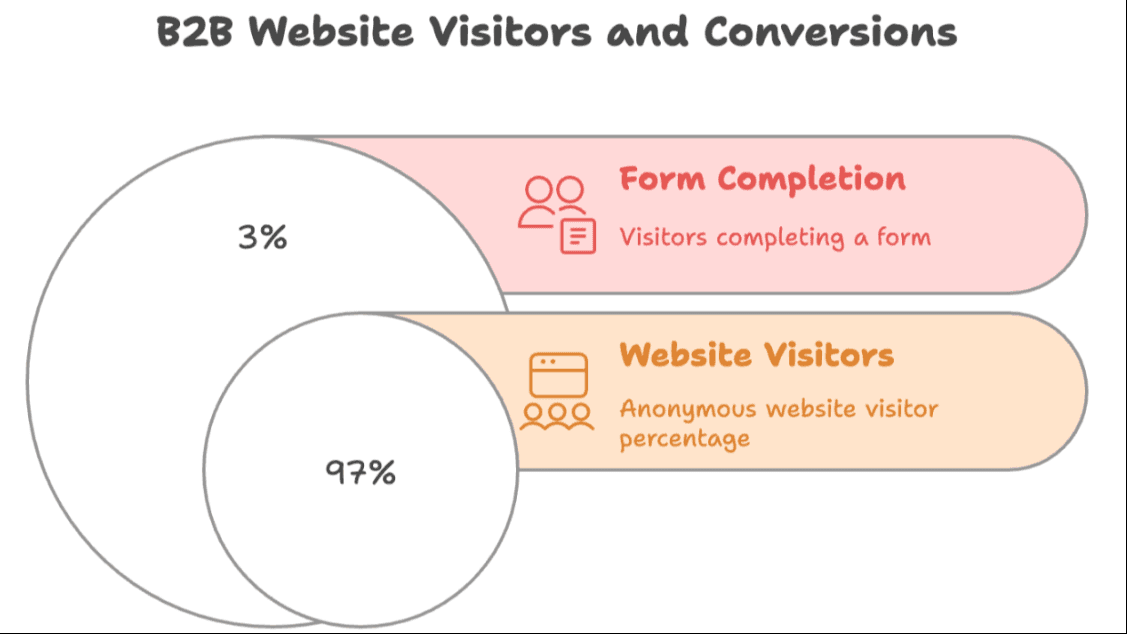
You need three things working together. First, a way to capture the ad click data (the fbclid or UTM parameters) at the moment the lead submits a form. Second, a way to pass that data into your CRM so it’s stored on the contact record. Third, a way to fire that data back to Facebook (or Google) as an offline conversion when the lead progresses through your pipeline.
Most agencies get the first part right. They append UTMs to their ad URLs and pray. The second and third parts are where attribution dies.
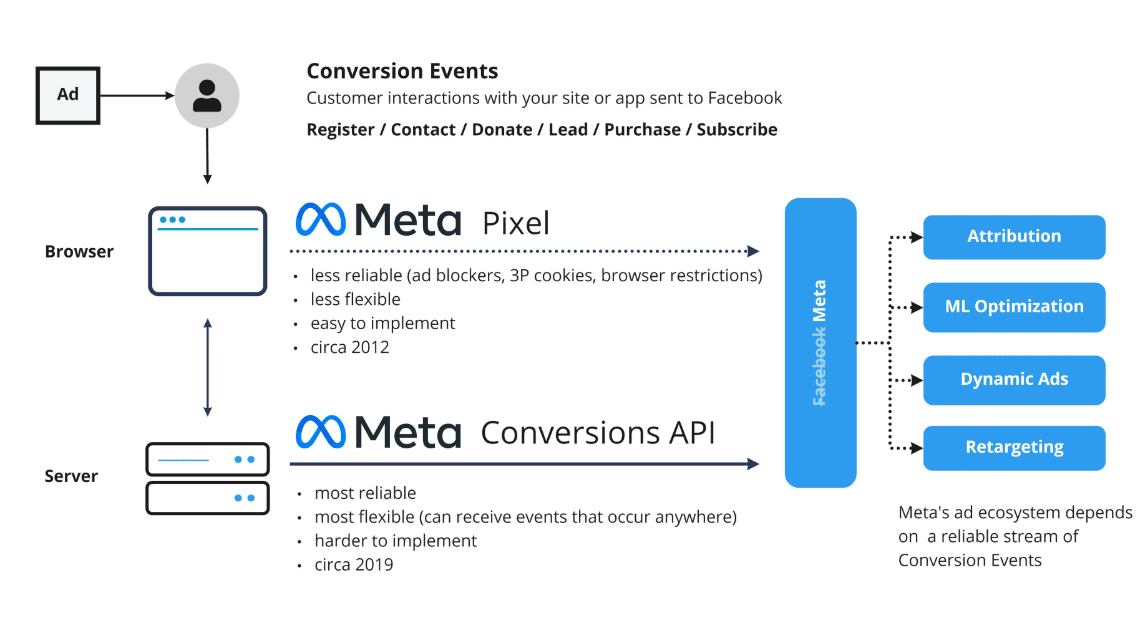
To properly track GoHighLevel leads from Facebook ads, you need server-side conversion events, not just browser-based pixel fires. This matters because iOS changes and browser privacy settings have gutted the reliability of client-side tracking. A pixel that fires in the browser might be blocked by 30-40% of your audience depending on the device they’re on.
Server-side tracking means the conversion event is sent from your server to Facebook’s Conversions API (CAPI) directly. It doesn’t depend on the browser. It doesn’t get blocked by ad blockers. It’s the only reliable way to track GoHighLevel leads from Facebook ads in 2026.
The challenge with Hyros and GHL is that you’re essentially building this server-side bridge yourself through webhooks. Which works, until it doesn’t.
GoHighLevel attribution 2026: what’s changed and what still matters
GoHighLevel attribution 2026 is a different animal than it was two or three years ago. A few things have shifted that every agency running paid ads needs to understand.
Facebook’s own data quality score is more aggressive now. If you’re sending low-quality conversion events (missing email, phone, or external ID fields), Meta will downgrade your signal and your optimization suffers. Agencies using old-school pixel-only setups are seeing CPLs creep up because the algorithm is working with incomplete data.
GHL has improved its native integrations, but it still doesn’t have a clean, built-in path to server-side CAPI for most agencies. You can get there with third-party tools or custom API work, but it requires effort.
The biggest shift in GoHighLevel attribution 2026 is the emphasis on matching lead quality, not just lead volume. Advertisers who can pass back “lead booked a call” and “lead became a client” as offline conversion events are training their ad algorithms on real revenue signals. Those who are only passing “lead submitted a form” are training on noise. The gap in performance between these two groups is widening.
I’ve seen this play out with clients. The ones who close the loop between their GHL pipeline and their ad platform are getting significantly better results from the same ad spend. GoHighLevel attribution 2026 isn’t just a tracking conversation, it’s a performance conversation.
Roaspy vs Hyros for GHL: why I made the switch
I want to be direct about Roaspy vs Hyros for GHL because I’ve used both in real client environments, and the difference in setup time alone was enough to change my recommendation.
Here’s the comparison as I see it:
Feature | Roaspy Ads Tracking | Hyros |
Pricing | Free plan up to $1,500 ad spend/mo → then $47/mo | Starts around $299/mo and scales with revenue |
GHL Integration | 1-click native GoHighLevel integration | Manual setup using webhooks, script placement, and field mapping |
Server-Side CAPI | 1:1 server-side CAPI built in | Available but requires manual configuration |
Lead-to-Sale Journey Mapping | Native feature built for GHL pipelines | Requires multiple pipeline webhooks to be configured |
Offline Conversion Stitching | Built-in automatic event syncing | Manual setup required for each pipeline stage |
Meta Ads Overlay | Native overlay inside Meta Ads Manager | Separate dashboard outside Ads Manager |
Setup Time | Under 30 minutes | Several hours to a full day depending on configuration |
Best For | GHL-native agencies running Meta or Google Ads | Agencies with dedicated ops or technical support |
When I think about Roaspy vs Hyros for GHL from a pure agency efficiency standpoint, the setup friction alone tips the scales. Hyros is powerful. I won’t pretend it isn’t. But if you’re spending four hours setting it up and then two hours every month troubleshooting it, that cost adds up in ways the monthly subscription fee doesn’t show.
The Roaspy vs Hyros for GHL conversation comes down to this: do you want a tool built for general ad attribution that you can force to work with GHL, or do you want a tool built specifically for the GHL workflow? That’s not a trick question.
Why I now recommend Roaspy for GHL agencies
Roaspy Ads Tracking is what I use now, and I want to explain why without making this sound like a product page.
The 1-Click GoHighLevel integration is exactly what it sounds like. You connect your GHL account, and Roaspy pulls your funnels, forms, and pipeline stages automatically. There’s no webhook configuration. There’s no manual field mapping. The contact data flows into Roaspy the moment a lead hits your GHL funnel.
What I care about most, honestly, is the offline conversion stitching. When a lead moves from “New Lead” to “Booked” to “Closed” inside a GHL opportunity pipeline, Roaspy fires those events back to Facebook’s Conversions API automatically. That’s GoHighLevel attribution 2026 done right. You’re feeding real purchase intent signals back into the algorithm, not just form submissions.
The native Meta Ads Manager overlay means I can see attribution data without leaving Ads Manager. That’s a small thing that saves a lot of tab-switching over the course of a week.
On pricing, Roaspy starts with a free plan for up to $1,500 in ad spend per month, and after that, it’s a simple $47/month flat plan. There’s no percentage of revenue and no complicated tiers that increase as your business grows. I used to watch agency owners flinch when their Hyros bill jumped because a client had a good month. With Roaspy, the pricing stays predictable.
When I first tried it, I was skeptical. I’d been burned by “easy integrations” before that fell apart on the third page of setup. Roaspy surprised me. I had a client funnel connected, tracking, and validating in under 30 minutes. That was enough to make me pay attention.
If you want to try it yourself, go to https://Roaspy.com and connect your GHL account. It’s worth the 30 minutes to see what clean attribution actually looks like.
Frequently asked questions
Q: Is the Hyros GoHighLevel tracking setup suitable for a small agency just starting with attribution?
A: Honestly, probably not unless you have someone technical on the team. The Hyros GoHighLevel tracking setup involves webhooks, script placement, and field mapping that takes real troubleshooting experience to get right. If you’re just starting out, a simpler tool like Roaspy will get you clean data faster with a lot less friction.
Q: Can I connect Hyros to GHL without a developer?
A: Yes, but it takes time. You don’t need a developer to connect Hyros to GHL, but you do need to be comfortable inside GHL’s workflow builder and understand how webhooks work. If those terms make you nervous, budget a few hours for learning curve plus troubleshooting. Some people get it done in a weekend. Others spend a week on it.
Q: How do I track GoHighLevel leads from Facebook ads if my pixel keeps getting blocked?
A: This is exactly why server-side CAPI matters. To reliably track GoHighLevel leads from Facebook ads in a post-iOS world, you need events sent from your server directly to Meta, not from the browser. Both Hyros and Roaspy handle this, but Roaspy does it without manual configuration for GHL users.
Q: What’s different about GoHighLevel attribution in 2026 compared to previous years?
A: The biggest shift in GoHighLevel attribution 2026 is the quality of signals you’re passing back to ad platforms. Before, sending a “Lead” event was enough. Now, Meta rewards advertisers who pass downstream events like “Booked Call” and “Sale” because those signals train better-performing campaigns. If you’re not closing that loop, you’re leaving optimization on the table.
Q: For Roaspy vs Hyros for GHL, which one handles pipeline-stage tracking better?
A: In my experience, Roaspy handles it better for GHL-specific agencies because it’s built for that exact workflow. With Hyros, you set up a separate webhook for every pipeline stage you want to track. With Roaspy, the pipeline stages sync automatically once you connect your GHL account. In the Roaspy vs Hyros for GHL debate, this is where Roaspy wins clearly.
Q: Does GoHighLevel have built-in attribution tracking?
A: GoHighLevel has basic tracking features like form submissions and pipeline reporting, but it doesn’t provide full multi-touch ad attribution. Most agencies connect third-party attribution tools like Hyros or Roaspy to track the full journey from ad click to closed deal.
My final thoughts
I want to be real with you. The Hyros GoHighLevel tracking setup is not bad. Hyros is a legitimate tool built by people who understand attribution. If you have the team bandwidth to set it up properly and maintain it, it can absolutely work. The step-by-step I walked through above is accurate, and if you follow it carefully, you’ll get it connected.
But most agencies I work with don’t have that bandwidth. They’re trying to grow, they’re managing client relationships, they’re running ad accounts, and they’re expected to fix attribution on the side. The hours spent wrestling with webhooks and field mapping are hours not spent on client results.
That’s why I’ve landed where I have. The Hyros GoHighLevel tracking setup taught me what good attribution should look like. Roaspy is what I use to actually deliver it without the overhead. And the GoHighLevel attribution 2026 conversation is only going to get more important as ad platforms get more sophisticated about the signals they want from you.
If you’re building an agency on GoHighLevel, you need to close the loop between your ads and your CRM. That’s not optional anymore. The question is just how much friction you want in the process.
Go try Roaspy at https://Roaspy.com. Connect your GHL account, link your Meta Ads Manager, and see what your attribution actually looks like. You might be surprised how many leads you’ve been misattributing, or not attributing at all. I know I was, the first time I saw the full picture.